On this page
Ecommerce replatforming keeps its search rankings when every old product address either stays identical or redirects permanently to the matching new page. The store can then change platform without asking shoppers or search engines to start again.
In short
- Ecommerce replatforming keeps search rankings by keeping old product addresses identical, or redirecting each one permanently to its matching new page.
- A permanent redirect tells browsers and search engines that a page has moved for good, and where it went.
- The list of old addresses must be complete before the move, because a missed address becomes a dead end.
- Fordawn kept the old product addresses identical on the new 5Senses store and redirected old links permanently, so bookmarks and rankings can carry over.
Why this matters
An address is how a shopper, a bookmark, another website and a search engine all find one product. A new platform often builds addresses in a different pattern, and every old one then stops working.
When that happens, a shopper who clicks an old link meets an error page. A search engine finds the same error and drops the page from its results.
The limit is honest. A redirect passes the old page's standing to the new one in principle, but no method promises a particular result. A move also changes other things, such as page content and speed.
What is a permanent redirect?
A permanent redirect is an instruction that a page has moved for good. A browser that follows it lands on the new page. A search engine learns to list the new address in place of the old one.
A temporary redirect says the opposite: the old address will come back. That is the wrong message for a platform move, so every redirect in a move should be permanent.
Which option suits which address?
Each old address needs one of four answers. The table sets out the options, who each suits and the limit of each.
| Option | Best for | Limit |
|---|---|---|
| Keep the address identical | Product pages that exist on both platforms | The new platform must be able to build the same address pattern |
| Redirect permanently to the matching page | Addresses that have to change | One redirect per old address, kept in place |
| Redirect temporarily | A short test, not a move | Tells search engines the old address will return |
| Leave the old address with no redirect | A page that no longer exists | Shoppers and search engines meet an error page |
How do you keep addresses through a move?
You keep addresses by listing them before the move and giving each one an answer. The work is mostly a list, and the list decides the result.
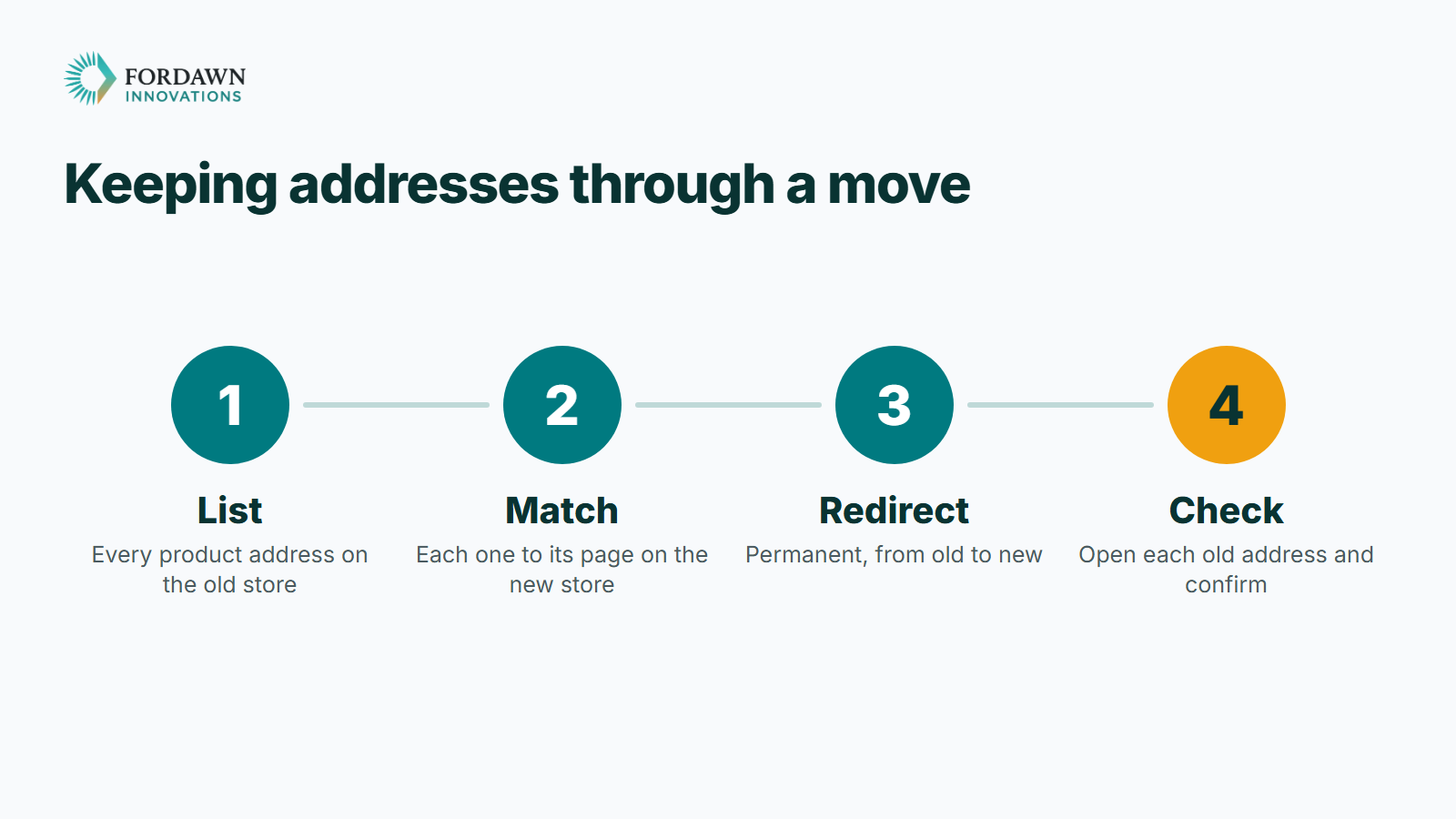
- List every product address on the old store, from its product export and its sitemap.
- Match each old address to its page on the new store. Keep the address identical where the new platform can build it.
- Redirect the rest permanently to the matching page, never to the home page.
- Open every old address on the new store and confirm that it lands on the right product.
- Keep the redirects in place for as long as old links may still be used.
The limit is time. A large catalogue makes the list long, and a list built by hand invites gaps. A script that reads the product export and checks each address is safer.
Why not send every old address to the home page?
A shopper who clicked a product link expects that product. A redirect to the home page loses the match, and a search engine may treat it as a missing page.
Send each old address to its closest matching page. If a product no longer exists, send the address to the category it belonged to.
Which other addresses need a plan?
Product pages come first, but they are not the only addresses people use. Category pages, content pages and the store's own sitemap all carry addresses that other sites and search engines already know.
Keep each redirect to one step. An old address should reach the new page directly, not through a chain of redirects. Every extra step slows the shopper and adds a place to break.
Update the store's own links, its menus and its sitemap so they show the new addresses. Then the store stops advertising the old ones, and the redirects only serve visitors who arrive from outside.
What did Fordawn do for 5Senses?
Fordawn kept the old product addresses identical on the new 5Senses store, and permanently redirected old links. Bookmarks and search rankings can then carry over from the old store to the new one at 5senses.com.
The new store sits beside a control centre, an analytics dashboard and a supplier portal for the brand's own suppliers, all built by Fordawn for 5Senses. The address plan was one part of the whole scope.
This suits a store with a catalogue that shoppers and other sites already link to. It matters less for a store with few pages and few links.
What should you check after the move?
Check the old addresses from the outside, as a shopper and as a search engine would. The first week shows most gaps.
- Click a sample of old product links from your own bookmarks and old emails.
- Read the search engine's own report of pages it cannot find.
- Compare the old list with the new site, row by row.
- Fix each gap with a permanent redirect to the matching page.
Ecommerce migration services should hand over that list and the checks with the finished store, so the owner can repeat them later.
One last thing
List every product address on your store today, before you pick a platform. Then tell Fordawn what a day looks like for your team, and the written scope covers the address plan. The 5Senses work page shows the whole store.
Questions
What is ecommerce replatforming?
Moving an online store to a new platform. The products and shoppers stay the same, while the system behind the store changes.
Will a platform move lose search rankings?
Not if old addresses stay identical or redirect permanently to the matching new page. A missed or mismatched address is a common cause of lost rankings.
What is a permanent redirect?
An instruction that a page has moved for good, and where it went. Old links and bookmarks then reach the new page.
Why not redirect everything to the home page?
A shopper who clicked a product link expects that product. A home-page redirect loses the match, so send each address to its matching new page.
Should a platform move use temporary redirects?
No. A temporary redirect tells search engines the old address will return. A platform move needs permanent redirects.
How long should redirects stay in place?
For as long as old links may still be used by bookmarks, other websites or search results. Removing them early brings dead ends back.
What did Fordawn do for 5Senses?
Fordawn kept old product addresses identical on the new store and permanently redirected old links, so bookmarks and rankings can carry over.
How does a store start an address plan?
List every product address on your store today. Then tell Fordawn what a day looks like for your team, and the written scope covers the plan.