MediFlow OPD + Pharmacy
Available from 7 November 2026
Your pharmacy counter, working from the same prescription.
OPD + Pharmacy adds the hospital pharmacy to the outpatient day. The counter bills against the prescription the doctor printed and signed, and stock is kept by batch and expiry. Registers for scheduled medicines are written as each medicine is dispensed.
Early bird price
₹12,000
a year, before GST
Standard price ₹15,000
₹1,000
a month, before GST
Standard price ₹1,250
15 email logins and Employee ID sign-in. Early bird: Sign up while the early bird offer runs (it ends in 6 months) and keep your early bird price for 2 years from sign-up, paying monthly or yearly. After that the standard price applies.
Setting up
You can set up everything yourself, free of charge. Guided set-up is optional and paid once, done only when you ask: ₹15,000, remote, before GST (proposed, not yet confirmed).
OPD + Pharmacy in one working day.
Step 1
Prescription
The medicines of a printed, signed prescription come onto the bill.
Step 2
Dispense
Stock goes out batch by batch; expired batches cannot be dispensed.
Step 3
Pay
Cash, UPI on your QR, card machine or payment link.
Step 4
Register
Schedule H, H1 and X sales are entered as they are dispensed.
Step 5
Day end
Cash, UPI, link and card counted apart, then the sheet printed.
What is in MediFlow OPD + Pharmacy
Everything in OPD
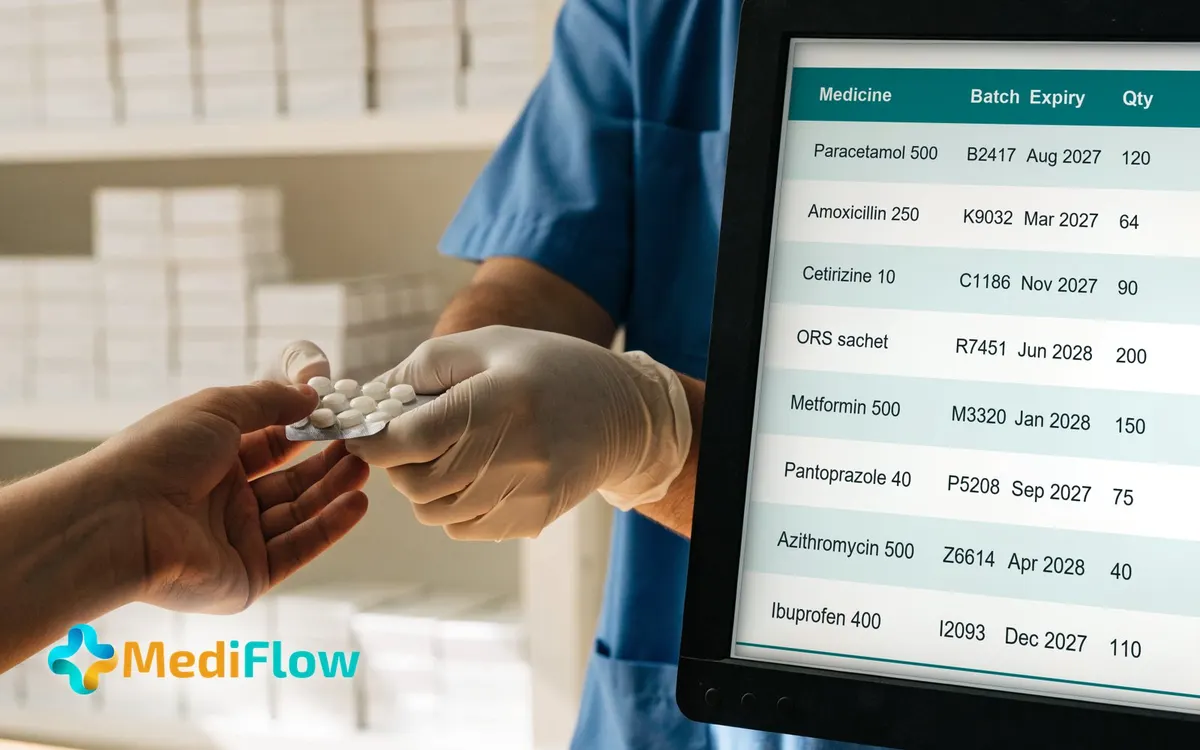
Medicines and stock
- Keep a medicine list with strength, form, department and category: OTC, Schedule H, H1 or X.
- Import an existing medicine list from a spreadsheet.
- Receive stock batch by batch, with expiry date, price on the pack and supplier.
- Search stock and filter by department, category, in stock, near expiry or expired.
- Show doctors, as they prescribe, whether your pharmacy stocks the medicine.
- Take a medicine out of use so it no longer appears on new prescriptions or bills.
Expiry and batches
- Flag medicines within 90 days of expiry; stock within 6 months goes to a separate shelf.
- Count only usable stock: expired and quarantined batches cannot be dispensed.
- Quarantine a batch, return it to the supplier with the credit note, or record its destruction.
- See which medicines are likely to expire unsold, with the steps to try first.
Counter billing and payment
- Bill a sale as over-the-counter, against your own prescription, or against one from elsewhere.
- Bring the medicines of a printed, signed prescription onto the bill without retyping them.
- Record the prescriber, registration number and date of an outside prescription, and confirm the original.
- Get a prompt to check a near-expiry batch against the course length before billing.
- Cancel a bill with a reason and put the stock back on the shelf.
- Take payment by cash, UPI on your QR, card machine or payment link.
Bills, day end and registers
- Print every bill with your drug licence, registered pharmacist and GSTIN if you have one.
- Close the day with cash, UPI, link and card counted apart, then print the sheet.
- Keep Schedule H, H1 and Schedule X registers; each sale is entered as it is dispensed.
- Print a register for chosen dates; a mistake is corrected by a new line, never edited.
- Keep narcotic registers: daily account, patient register, yearly estimate and annual return, for authorised staff.
Patients who use an outside chemist
- Record, once the prescription is printed, whether the patient uses your pharmacy or their own chemist.
- Keep a list of outside pharmacies and record which one each prescription was sent to.
- Record the patient's agreement before sending, then what the pharmacy reported: ready, part available or declined.
Who uses it
Pharmacist
Receives stock by batch, bills sales and dispenses.
Doctor
Sees whether the pharmacy stocks a medicine while prescribing.
Administrator
Prints registers for chosen dates and reads the day-end sheet.
Super Admin
Builds roles and ticks what each can view, create, edit or delete.
Next step: MediFlow OPD + Pharmacy + Lab
Adds lab and radiology, ordered and reported in the same record.
See MediFlow OPD + Pharmacy + LabIllustrations are for visual explanation only. Prices are per hospital, before GST. MediFlow is a product of Fordawn, hosted in India.